
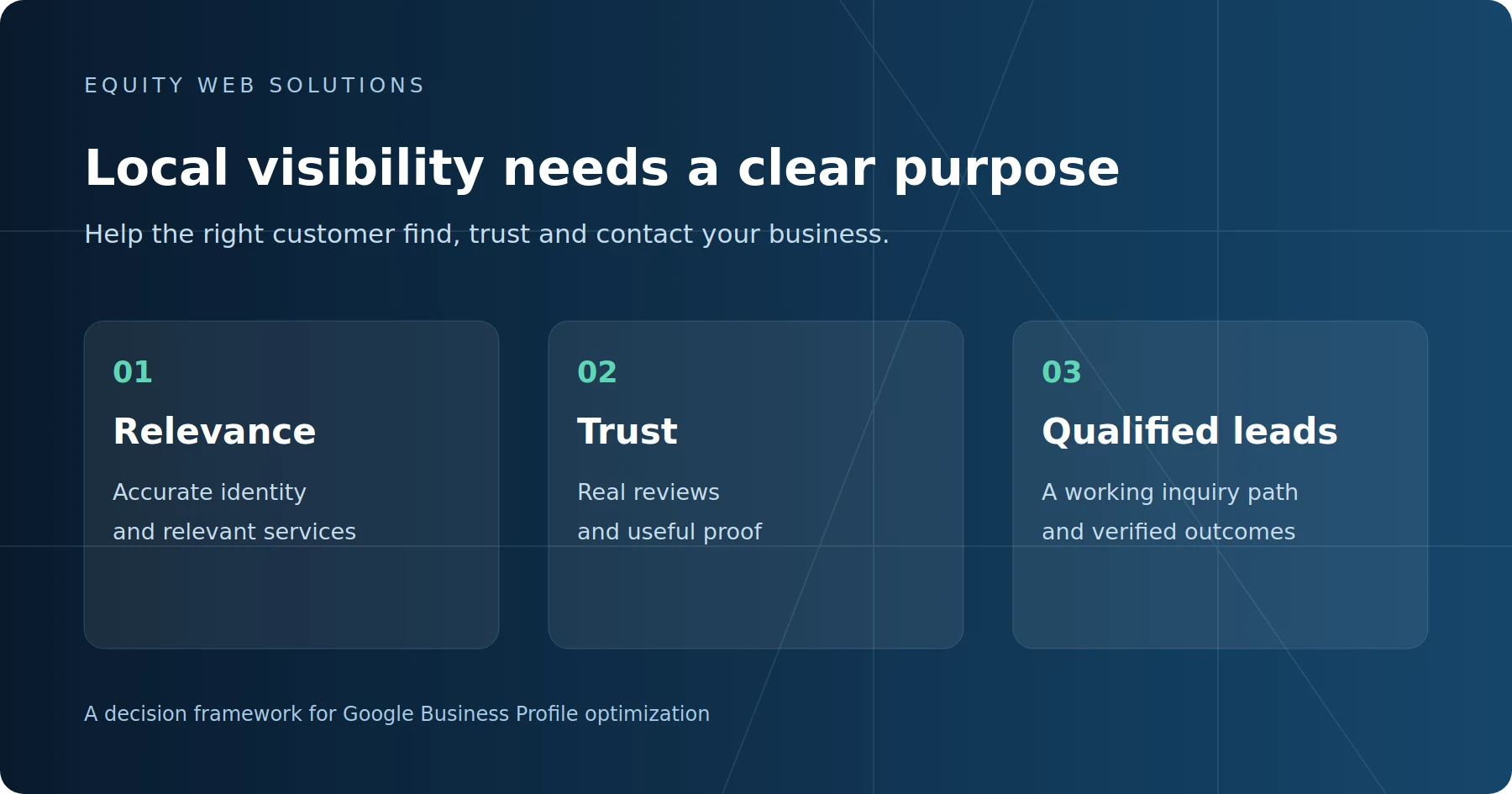
Google Business Profile optimization should make your business easier to match to relevant local searches, easier to verify, and easier for the right customer to contact. That starts with accurate categories, location information and services, then connects the profile to credible reviews, useful website pages and a measurable inquiry process.
Prioritize accurate business information and relevant categories first. Build trustworthy evidence and a clear path to an inquiry next. Measure search visibility alongside qualified calls, bookings and customers. Completing every profile field does not guarantee a top-three Google Maps position.
If you are evaluating Local SEO for your San Diego business, the question is not how many edits an agency makes each month. Ask which problem each change addresses, what evidence supports it, and whether the work helps attract customers you can actually serve.
1. Separate ranking factors from customer decision factors
Google describes local ranking in terms of relevance, distance and prominence. Relevance concerns the match between the business and the search. Distance concerns the searcher’s location. Prominence concerns how well known the business is, including evidence such as links and reviews.
That framework explains why a business can appear prominently near its location and struggle farther away. Profile edits cannot eliminate proximity. A San Diego contractor should evaluate visibility in its actual customer area rather than expect an identical result in Carmel Valley, Chula Vista and Carlsbad.
Some improvements primarily help the customer decide: clear service information, useful project photos and a working contact link. They can be worthwhile without being proven direct ranking factors. Ask a provider to distinguish Google’s documented guidance, an observed pattern and a hypothesis being tested. Our broader San Diego local ranking guide explains how the profile fits into the wider SEO system.
2. Fix business identity, categories and location accuracy
Use the business name you use in the real world. Do not add a list of services or cities to the name just to attract searches. Check that the business controls the profile, the phone number works, the website destination is correct, and customer-facing information reflects the actual operation.
Choose categories that describe the business
Google says categories affect local ranking. Choose a specific primary category that accurately represents the core business and a small number of relevant additional categories. Categories and services do different jobs: a category identifies the kind of business; the services list explains its offerings. Do not add an unrelated category simply because it has an attractive keyword.
For example, a commercial cleaning company should review the available categories against the work it actually sells. Choosing a category associated with a different cleaning specialty may attract the wrong customer. Record the original category before changing it and check whether Google requests verification afterward.
Represent the location and service area honestly
If you travel to customers and do not receive them at your address, follow Google’s service-area guidance and hide that address. List the cities or areas you actually serve. A service-area list tells customers where you work; do not treat it as a promise of equal rankings throughout that territory.
A virtual mailing address is not a substitute for an eligible business location. Creating profiles for places where your business does not operate adds risk rather than credible local coverage. Record genuine changes to hours, location or operating model so later performance comparisons have context.
3. Connect services to the right website page
Where the services editor is available, use recognizable names for the work you provide. Google permits service descriptions and price details, and may highlight a listed service when someone searches for it. Keep custom service names factual; the name field is not a place for phone numbers or promotional claims.
The website should then answer the questions that the short profile cannot: who the service is for, what is included, which areas you cover, what proof you have and what happens after an inquiry. A service business can look relevant on Maps and still lose the lead if the destination page is vague or the form is difficult to use.
Choose the destination according to the business and profile. A single-location business may appropriately use its homepage; a genuine multi-location business may need the page for that location. Do not automatically replace a useful homepage link with a narrowly focused article.
For website organic SEO, keep the main service page responsible for service-buying searches. Supporting guides should explain a specific buyer question and link to that page. This article covers optimization priorities; our Local SEO service page explains how Equity Web Solutions can help implement the work.
A useful diagnostic
Visibility problem or conversion problem?
If the profile rarely appears for relevant searches, investigate relevance, proximity and supporting evidence. If it receives attention but few suitable inquiries, inspect the offer, website destination, contact process and lead quality. The next action should match the constraint.
4. Build credible proof and keep the profile useful
Request honest reviews from real customers as a routine part of completed work. Make the request easy with your Google review link or QR code. Do not offer an incentive, supply a keyword script or steer only happy customers toward the public review process. Reply helpfully and protect customer privacy.
Use authentic photos that show the business, team, work or customer-facing location, as appropriate. Google asks for images that are clear, well lit and representative of reality. For a service business, an actual completed project generally gives a prospective customer more useful evidence than a generic stock image.
Keep descriptions and updates useful to buyers: a change to available services, a real project, a seasonal limitation or a relevant announcement. Do not judge success by posting volume. A monthly activity list should explain what became clearer or more credible to the customer.
Website proof matters too. Stronger website authority and business evidence can include case studies, legitimate partner references and consistent business information. Review our New Maxim’s local SEO case study for a documented example of work and outcomes. Its results should not be treated as a forecast for another business.
5. Measure qualified demand, not just profile activity
Google Business Profile performance, Search Console and GA4 describe different parts of the journey. The profile report records discovery and interactions on Search and Maps. Search Console reports website search performance. GA4 helps evaluate collected website visits and events. None of those reports alone establishes how many good-fit customers you acquired.
Google defines the profile’s Calls metric as clicks on its call button. It does not establish that the call connected or was qualified. Website clicks also do not equal inquiries. Supported booking-provider reporting can show completed bookings, but a click from your website to an external booking page is only a booking start.
Keep a simple lead record with the service requested, customer area, source where known, fit, appointment outcome and eventual sale. Deduplicate repeated inquiries and identify tests or spam. Use consistent tagged links where appropriate and check that website events fire only when the intended action succeeds.
Compare like-for-like date ranges and record significant changes. Review local rankings for consistent searches and locations, and website query positions by the URL Google displayed. A site’s average position combines different queries and pages; it is not a Google Maps rank for every neighborhood.
6. What should an optimization provider deliver?
A useful engagement should give you an initial diagnosis, an agreed scope, a record of meaningful changes and a review of outcomes. The following is a practical buying checklist, not a claim that every item is a direct ranking factor.
Work you should be able to inspect
| Workstream | Evidence to request | Business purpose |
|---|---|---|
| Identity and categories | Current settings, errors found and reasons for recommended changes | Represent the actual business and relevant services |
| Website and inquiry path | Destination-page review and completed form, phone or booking checks | Help suitable customers take the next step |
| Reviews and local proof | A legitimate review process, authentic media and specific proof gaps | Make the business easier to evaluate and trust |
| Performance review | Comparable periods, dated changes, relevant queries and lead outcomes | Choose the next action from evidence |
Ask who controls the profile, how access is handled, which work is included and how changes are documented. Be cautious about guaranteed Maps placement, invented locations, bought reviews or reports that celebrate views without discussing customer fit.
For an illustrative San Diego electrical contractor, the first priority might be correcting its category and explaining which jobs it accepts. For another contractor with suitable visibility but mostly unsuitable calls, the priority might be clearer service boundaries and a better website inquiry process. Applying the same monthly checklist to both misses the business problem.
7. Set a baseline before changing more settings
Start with the current profile information, relevant searches, website destination and collected inquiries. Fix clear inaccuracies and broken contact paths first. Then choose a small number of justified improvements and record when they went live.
Review whether visibility changed for relevant searches and whether the business received more suitable inquiries. Avoid attributing a gain to one edit when reviews, website content, competitors or seasonal demand also changed. If ranking improves but qualified leads remain weak, review the gap between ranking and being chosen before repeating the same activity.
Frequently asked questions
Is Google Business Profile optimization the same as Local SEO?
No. Profile optimization is one part of Local SEO. A broader engagement may also address website pages, technical access, local proof, links, business information across relevant sources and measurement. The right scope depends on the diagnosed constraint.
How long should you wait before judging an improvement?
Check factual corrections and contact paths immediately. Evaluate visibility and lead patterns over comparable periods after changes have appeared. There is no reliable universal timeline or guaranteed ranking gain; very small samples need more time before they support a decision.
Do more service areas guarantee better rankings in those cities?
No. List the places you genuinely serve. Distance still matters, and adding a city to the service-area list is not evidence that the business will appear prominently for every search there.
Should you change categories whenever rankings drop?
Only when there is a factual or strategic reason to correct the category. First check the searches, locations and dates being compared. Frequent unexplained changes make it harder to understand what helped and may trigger verification.
Can a small business handle this without an agency?
Yes. Owners can maintain accurate information, request honest reviews and monitor inquiries. Outside help becomes more useful when diagnosis, website work, multiple locations or measurement require skills and time the business does not have.
Equity Web Solutions helps established San Diego service businesses connect local visibility with service-page clarity, credible proof and qualified demand. Book a Visibility Review to identify the most useful next step for your profile and website.
Primary sources
Google guidance checked October 14, 2026. The prioritization checklist and business examples above are Equity Web Solutions’ practical interpretation.
- Google: Tips to improve your local ranking
- Google: Manage your business category
- Google: Guidelines for representing your business
- Google: Service-area and hybrid businesses
- Google: Manage your services
- Google: Tips to get more reviews
- Google: Business Profile photos and videos
- Google: Understand Business Profile performance